Follow-Up System
Goal: Track students after they complete the program using the 3/6/9/12-month follow-up schedule, and use the alumni self-service lookup.
Follow-ups are how VoTech tracks outcomes after a student graduates or completes the program. They're critical for grant reporting — most grants require proof that students are employed, in school, or on a positive trajectory after the program.
How Follow-Ups Work
When a student completes the program, VoTech automatically schedules four follow-up check-ins:
| Follow-Up | When | Purpose |
|---|---|---|
| 3-Month | 3 months after completion | Early check: employment, education, stability |
| 6-Month | 6 months after completion | Mid-term: sustained employment or enrollment |
| 9-Month | 9 months after completion | Continued progress check |
| 12-Month | 12 months after completion | Final outcome for most grants |
Each follow-up collects information about the student's current:
- Employment — working, employer name, pay
- Education — enrolled, school name, program
- Housing — stable housing status
- General wellbeing — self-reported
Tracking Follow-Up Status
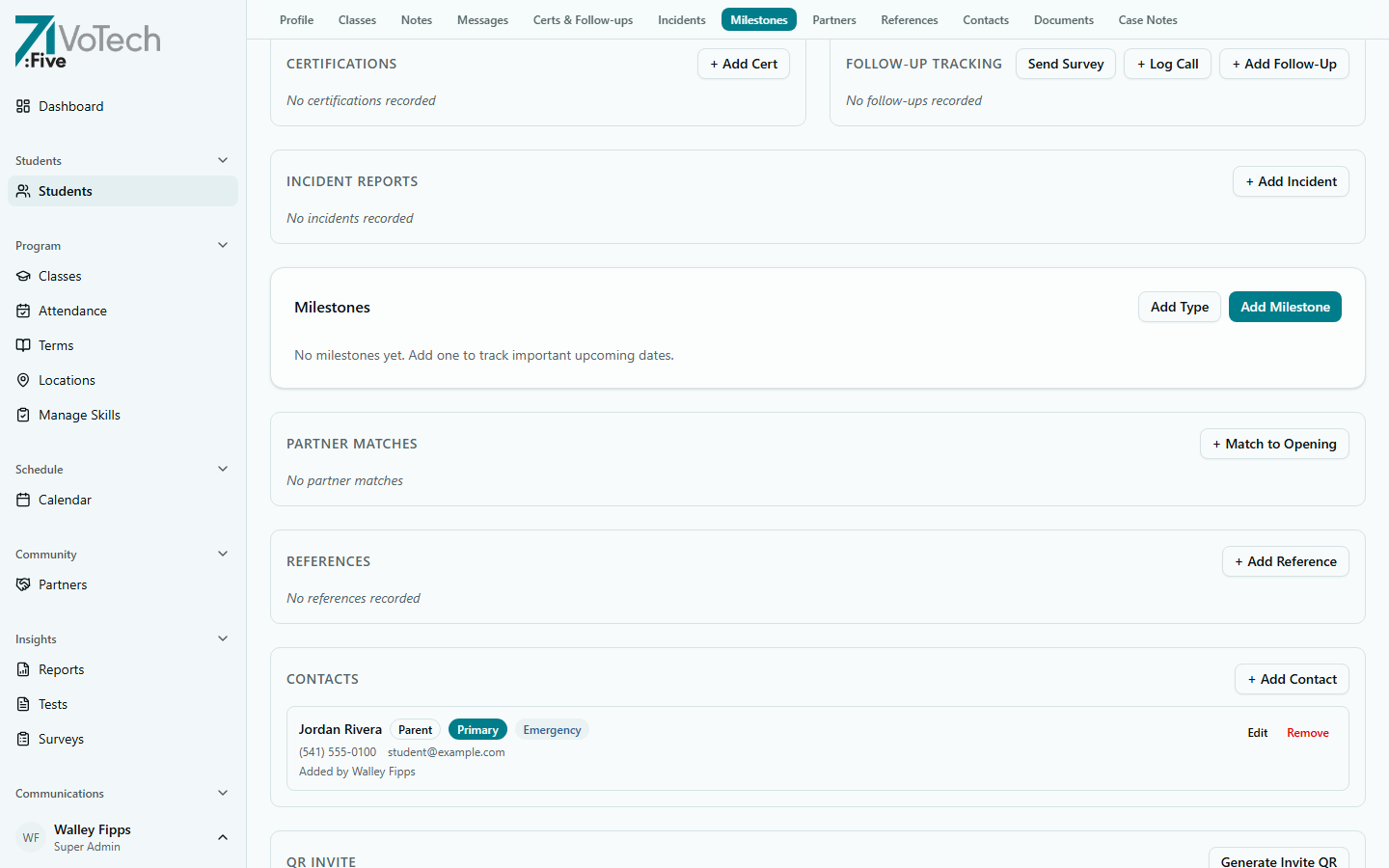
The Certs & Follow-ups section on the student's detail page shows certifications alongside the follow-up tracking panel. From here you can send a survey, log a phone call, or add a follow-up record directly.
- View upcoming and overdue follow-ups from the Dashboard (My View tab)
- Or open a student's Detail Page and scroll to Certs & Follow-ups
Each follow-up has a status:
| Status | Meaning |
|---|---|
| Not Yet | Not yet due — scheduled for a future date |
| Due | The follow-up window is open — reach out to the student |
| Overdue | Past the due date with no response |
| Not Attempted | Due but no outreach has been made yet |
| Attempted | Outreach made but no response received |
| Completed | Student responded and data is recorded |
| Refused | Student declined to participate in the follow-up |
VoTech also provides a standalone Follow-Up Tracking dashboard at /dashboard/follow-ups with aggregate stats, sortable tables, CSV export, and location filter. Accessible to Super Admin, Director, and Case Manager.
Completing a Follow-Up
Staff-Initiated
- Open the student's Detail Page
- Go to the Follow-Ups section
- Click the follow-up that's due (e.g., "3-Month Follow-Up")
- Fill in the responses (employment, education, housing, notes)
- Click Save
Student Self-Service (Alumni Lookup)
Students can complete their own follow-up survey:
- The student visits the alumni follow-up page (linked from their notification)
- They enter their Student ID and date of birth to verify identity
- The follow-up form loads with the questions
- They submit their responses
- The responses are saved to their record automatically
Send the alumni follow-up link via the notification system when a follow-up is due. The self-service option has higher completion rates than phone calls for 6-month and later follow-ups.
Notifications for Follow-Ups
VoTech includes built-in notification templates for follow-ups:
- Follow-Up Reminder — sent to the student when a follow-up is due
- Follow-Up Survey Link — includes the self-service URL
These can be sent via email or SMS from the Notifications Hub.
Tips & Common Mistakes
Don't let follow-ups go overdue without attempting contact. Grant auditors look at follow-up completion rates. Even marking "Attempted" or "Refused" is better than leaving it at "Not Attempted."
Follow-up data is used in grant reporting. Make sure employment and education fields are filled in accurately — these numbers go directly into BOLI and YDD reports.
Start reaching out for the 3-month follow-up a week early. Students are easier to reach right at the 3-month mark than after they've moved or changed phones.
Related Guides
- Student Detail Page — follow-up section per student
- Notifications Hub — send follow-up reminders
- Report Builder — follow-up completion rates in reports