Community Partners & Job Matching
Goal: Manage community partner organizations, track job matching opportunities, and connect students with employment.
Community Partners are local businesses, organizations, and agencies that support VoTech students through job placements, mentoring, or resources.
Viewing Partners
- Click Partners in the sidebar under Community
- The partners list shows all registered organizations
- Each row shows: organization name, contact person, industry, active job openings
Adding a Partner
Available to: Super Admin, Director
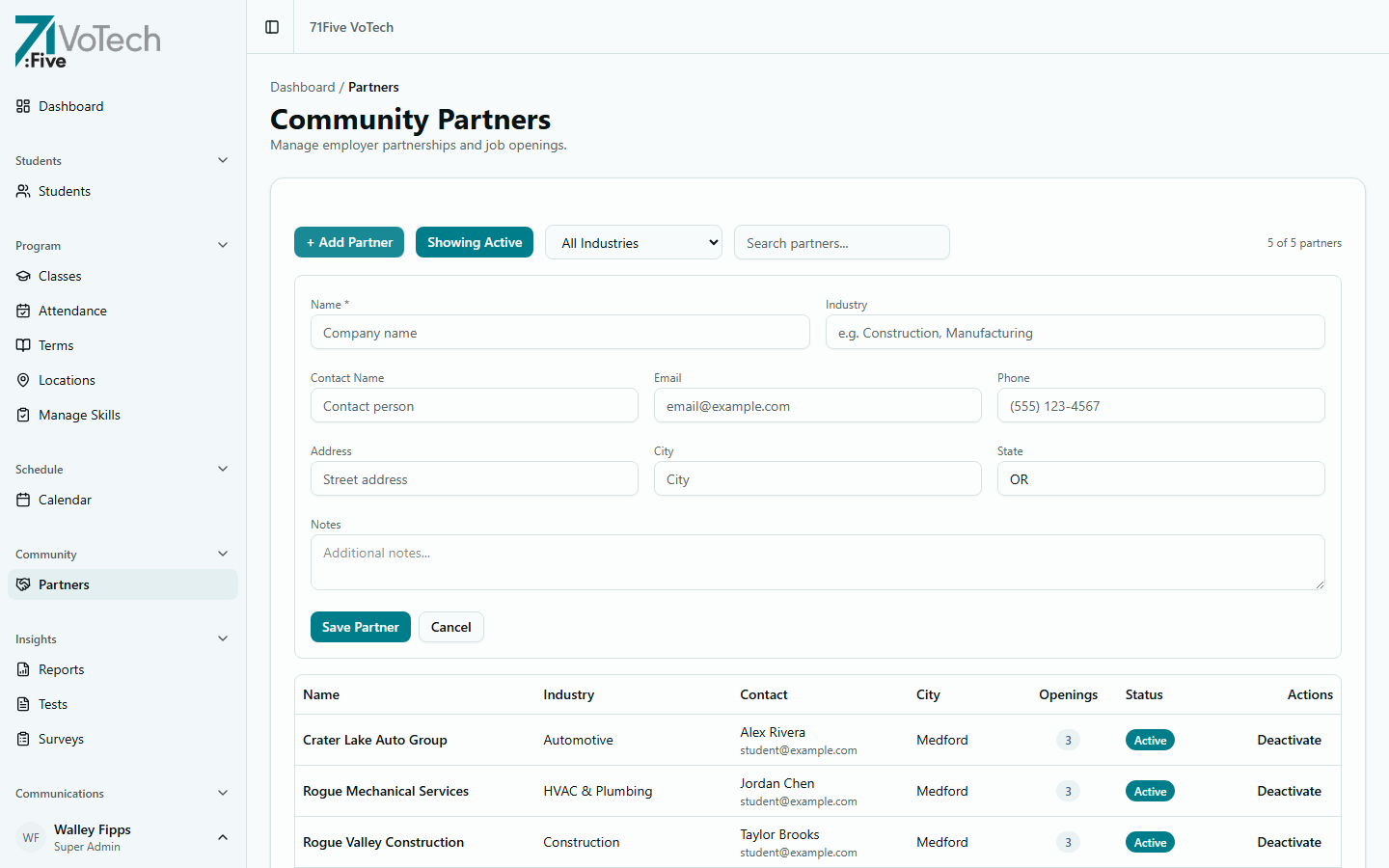
- Click + Add Partner at the top of the partners list
- The inline form expands with fields for:
- Name — company/organization name
- Industry — e.g., Construction, Automotive, HVAC & Plumbing
- Contact Name, Email, Phone
- Address, City, State
- Notes — what they offer (internships, apprenticeships, jobs, mentoring)
- Click Save Partner
Job Matching
When a partner has an available position:
- Open the partner's detail page
- Click Add Opportunity
- Enter:
- Position title — e.g., "Welding Apprentice"
- Description — duties, requirements, schedule
- Pay range (optional)
- Category alignment — which VoTech categories this maps to
- Click Save
Matching a Student
- Open the opportunity
- Click Match Student
- Search for and select a student
- The match is recorded on both the partner's record and the student's detail page
Filter students by category when matching. A welding opportunity should go to welding students first.
Viewing Partner Matches on Student Records
Partner matches appear on the student's Detail Page under the Partner Matches section, showing:
- Organization name
- Position title
- Match date
- Status (matched, placed, completed)
Tips & Common Mistakes
Grant Writers can view partner information for reporting purposes but cannot create or edit partners. This data feeds into employment outcome reports.
Keep partner records updated. If a contact person changes, update it immediately — stale contact info means missed opportunities for students.
Related Guides
- Student Detail Page — partner matches section
- Report Builder — employment outcome reports
- Follow-Up System — tracking post-program employment