Accepting Terms of Service
Who can do this:Super AdminDirectorCase ManagerCoordinatorGrant WriterVolunteerParentStudent
Goal: Accept the Terms of Service so you can use VoTech.
Steps
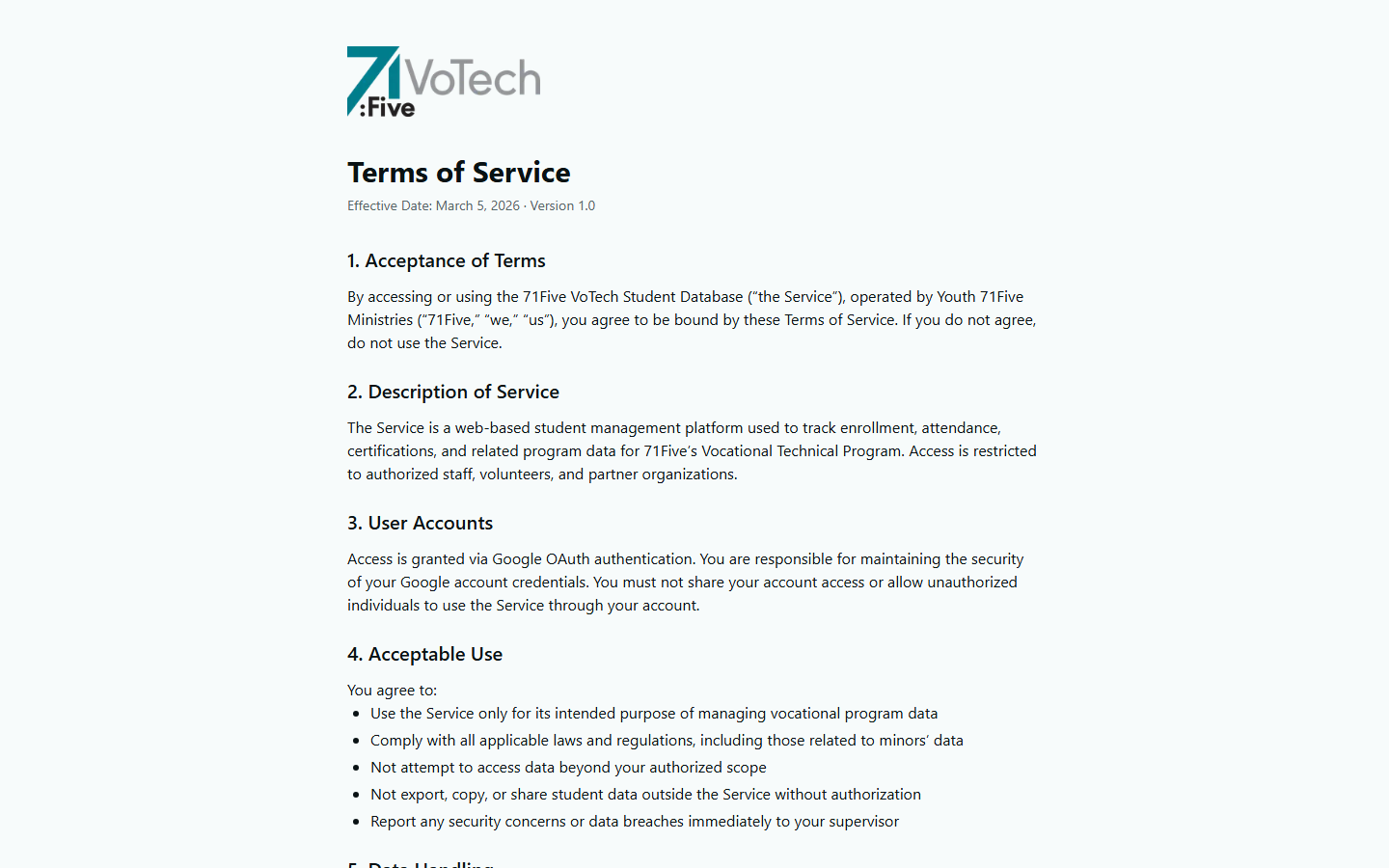
- After signing in for the first time, VoTech displays the Terms of Service page
- Scroll through the Terms of Service document (you must scroll to the bottom)
- Scroll through the Privacy Policy document (also must scroll to the bottom)
- Click "Continue to Dashboard"
🛑 IMPORTANT:
You cannot use VoTech until you accept the Terms of Service. This is required for all users, including staff, parents, and students.
What the Terms Cover
- Data privacy — how student data is stored and protected
- Acceptable use — what you can and can't do with the system
- Your responsibilities — keeping your login secure, reporting issues
- FERPA compliance — rules for handling student education records
Tips & Common Mistakes
ℹ️ NOTE:
You only need to accept the Terms of Service once. If the terms are updated, you may be asked to accept the new version.